
- Overview
- Getting Started
- Quick Start Guide
- Core Concepts
- Users
- Models
- Creating a Model
- Model Card
- Model Card
- Importing Model Card Text
- Comparing Model Cards
- Creating a Release
- Uploading Files
- Uploading Images
- Model Templating
- Data Cards
- Creating a Data Card
- Managing Data Cards
- Using a Model
- Browsing the Marketplace
- Requesting Access
- Using a Pushed Docker Image
- Downloading Files
- Reviews
- Understanding Reviews
- Reviewing
- Reviewing a Release
- Reviewing an Access Request
- Reviewing a Model Card Lifecycle
- Review Outcomes
- Security Scanning
- File Scanning
- Image Scanning
- Inferencing
- Creating an Inference Service
- Managing Inference Services
- Model Mirroring
- Creating a Mirrored Model
- Editing a Mirrored Model Card
- Untrusted Models
- Untrusted Models
- Deletion
- Deleting a File
- Deleting a Model
- Soft Deletion
- Bailo Metrics
- Viewing Bailo Metrics
- Programmatic Access
- Authentication
- Personal Access Tokens
- Python Client
- OpenAPI Reference
- Webhooks
- Administration
- Getting Started
- Deployment Architecture
- App Configuration
- Model Lifecycle Configuration
- LLM
- LLM Import
- Schemas
- Understanding Schemas
- Create a Schema
- Upload a Schema
- Schema Migrations
- Review Roles
- Managing Review Roles
- Assigning Roles to Schemas
- Federation
- Peer Integration
- Microservices
- Artefact Scanners
- Helm
- Basic Usage
- Configuration
- Isolated Environments
- Migrations
- Bailo v0.4
- Bailo v2.0
- DataBase Scripts
- Reference
- Glossary
- Roles & Permissions
- Troubleshooting & FAQ
Personal Access Tokens
Personal Access Tokens (PATs) allow you to authenticate with Bailo's API and container registry programmatically. Each token can be scoped to specific models and actions, giving you fine-grained control over what the token can do.
Common questions this page answers:
- How do I create a Personal Access Token (PAT)?
- What permissions can I assign to a token?
- How do I use a token with curl or the Python client?
- How do I revoke a token?
Creating a token
Create tokens from the Authentication tab in your user settings.
- Navigate to User (top right) > Settings > Authentication
- Click Add Token
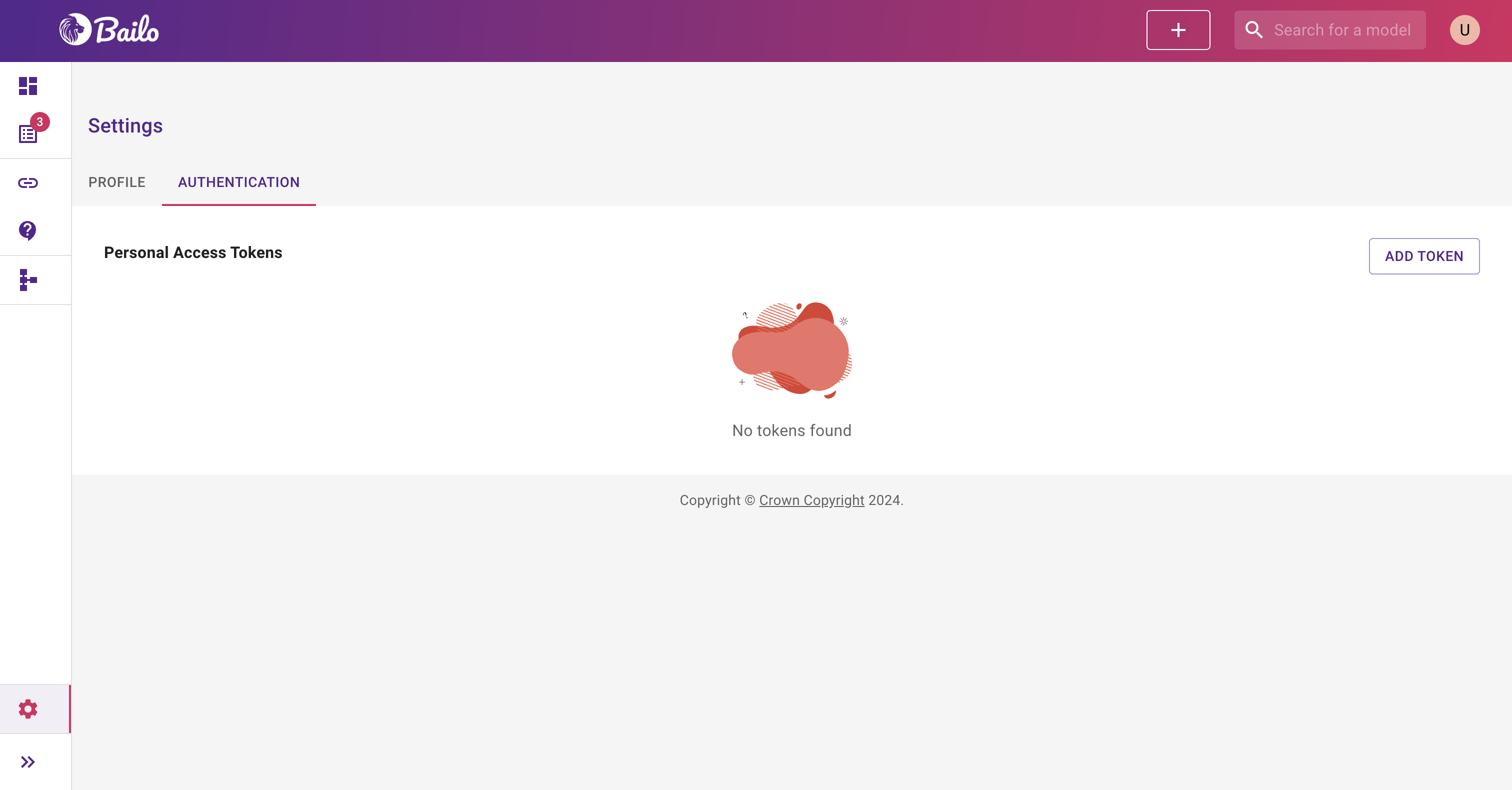
The screenshot above shows the Authentication tab listing existing personal access tokens with their descriptions, access keys, and a delete button for each.
- Fill in the form:
- Description - a name to help you identify this token (e.g. "CI/CD pipeline", "Local development")
- Models - choose All models or select specific models
- Actions - select the permitted actions this token can perform
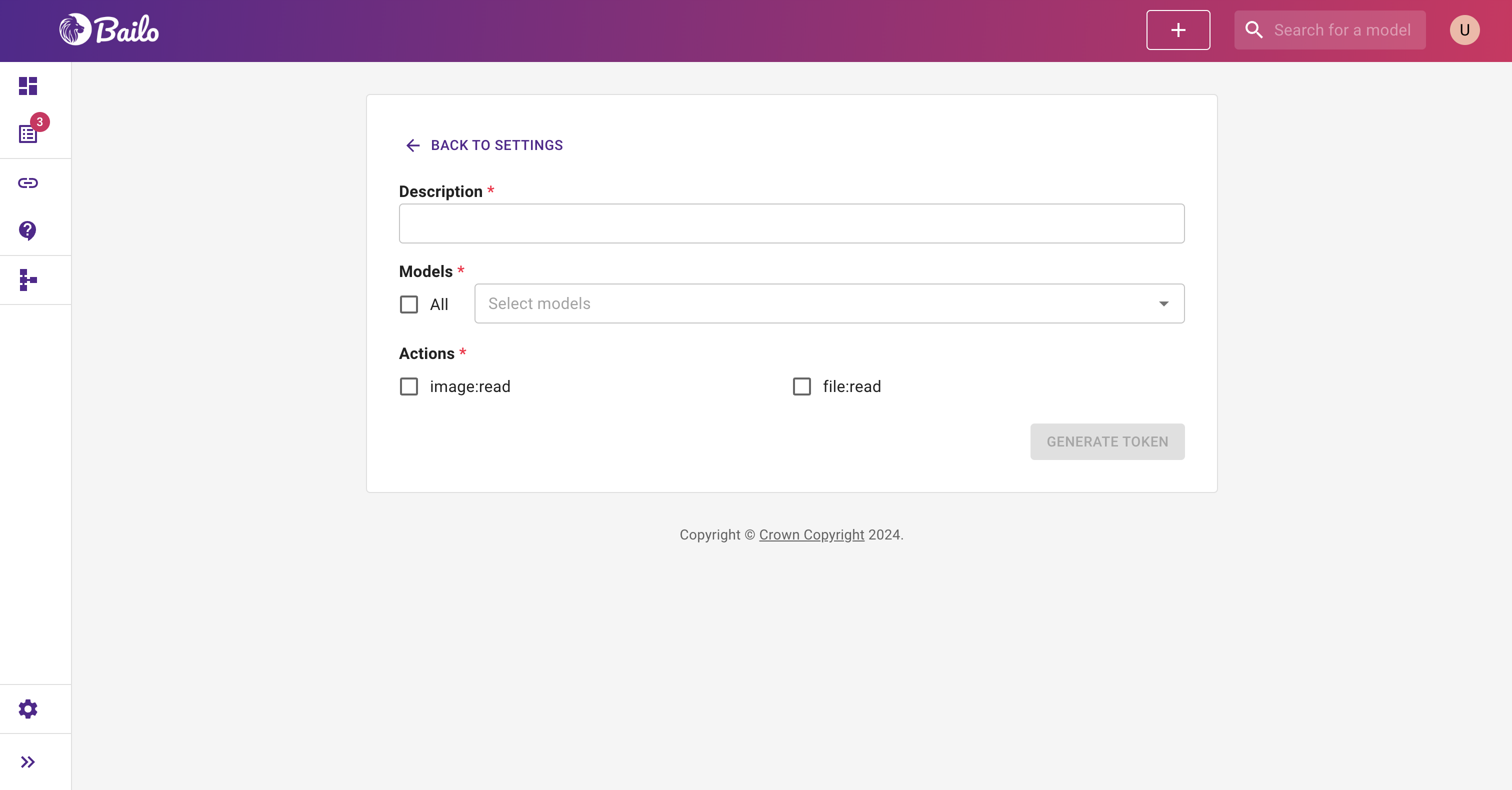
The screenshot above shows the token creation form with fields for description, model scope, and action permissions.
- Click Generate Token
- Copy both the Access Key and Secret Key immediately - the secret key is only shown once and cannot be retrieved later
Available permissions
Each token can be scoped to specific actions using these permission types.
- model:read - View model and data card settings
- model:write - Create and update model and data card settings
- model:export - Export model and data card settings
- release:read - View release information
- release:write - Create and update releases
- release:export - Export release information
- access_request:read - View and list access requests
- access_request:write - Create, approve, and comment on access requests
- file:read - Download and view files
- file:write - Upload and delete files
- image:read - List and pull container (Docker) images
- image:write - Push and delete container images
- schema:write - Upload and modify schemas (administrators only)
- reviewRole:read - View review roles
- reviewRole:write - Create and update review roles
Note: Selecting a write permission automatically includes the corresponding read permission.
Token scoping
Tokens can be scoped to all models or restricted to specific models.
- All models - the token works with every model in Bailo
- Specific models - the token only works with the models you select
Use specific model scoping when possible to follow the principle of least privilege.
Managing tokens
View and delete existing tokens from the Authentication tab:
- Navigate to User > Settings > Authentication
- Your existing tokens are listed with their description and access key
- Click the delete button next to a token to revoke it
Important: Deleting a token is immediate and permanent. Any scripts or applications using that token will stop working.
Using tokens
Tokens use HTTP Basic Authentication with the access key as the username and the secret key as the password.
- Username: the access key
- Password: the secret key
With the Python client
from bailo import TokenAgent, Client

agent = TokenAgent(access_key="your-access-key", secret_key="your-secret-key")
client = Client("https://your-bailo-instance.com", agent=agent)
With curl
curl -u "your-access-key:your-secret-key" \
     https://your-bailo-instance.com/api/v2/models/search
With the container registry
docker login your-registry-host -u "your-access-key" -p "your-secret-key"
Security best practices
Follow these practices to keep your tokens secure.
- Store secret keys securely - use environment variables or a secrets manager, not source code
- Use minimum permissions - only grant the actions your workflow needs
- Scope to specific models when possible
- Rotate tokens regularly - delete old tokens and create new ones
- Use separate tokens for different purposes (CI/CD, local dev, etc.)
Related pages
- Authentication - Overview of authentication methods
- Python Client - Using tokens with the Python client
- Swagger API - All available API endpoints
Copyright © Crown Copyright 2026.