
- Overview
- Getting Started
- Quick Start Guide
- Core Concepts
- Users
- Models
- Creating a Model
- Model Card
- Model Card
- Importing Model Card Text
- Comparing Model Cards
- Creating a Release
- Uploading Files
- Uploading Images
- Model Templating
- Data Cards
- Creating a Data Card
- Managing Data Cards
- Using a Model
- Browsing the Marketplace
- Requesting Access
- Using a Pushed Docker Image
- Downloading Files
- Reviews
- Understanding Reviews
- Reviewing
- Reviewing a Release
- Reviewing an Access Request
- Reviewing a Model Card Lifecycle
- Review Outcomes
- Security Scanning
- File Scanning
- Image Scanning
- Inferencing
- Creating an Inference Service
- Managing Inference Services
- Model Mirroring
- Creating a Mirrored Model
- Editing a Mirrored Model Card
- Untrusted Models
- Untrusted Models
- Deletion
- Deleting a File
- Deleting a Model
- Soft Deletion
- Bailo Metrics
- Viewing Bailo Metrics
- Programmatic Access
- Authentication
- Personal Access Tokens
- Python Client
- OpenAPI Reference
- Webhooks
- Administration
- Getting Started
- Deployment Architecture
- App Configuration
- Model Lifecycle Configuration
- LLM
- LLM Import
- Schemas
- Understanding Schemas
- Create a Schema
- Upload a Schema
- Schema Migrations
- Review Roles
- Managing Review Roles
- Assigning Roles to Schemas
- Federation
- Peer Integration
- Microservices
- Artefact Scanners
- Helm
- Basic Usage
- Configuration
- Isolated Environments
- Migrations
- Bailo v0.4
- Bailo v2.0
- DataBase Scripts
- Reference
- Glossary
- Roles & Permissions
- Troubleshooting & FAQ
Uploading Files
Files represent any artefacts related to a model, such as binaries, configuration files, or supporting documentation. These files allow others to build, evaluate, and use your model.
Common questions this page answers:
- How do I upload files to a model in Bailo?
- How do I attach files to a release?
- How do I upload files programmatically?
Adding files to a model
Upload files from the File Management tab on your model page:
- Click Add new files
- Select files to upload
- Optionally assign tags to each file
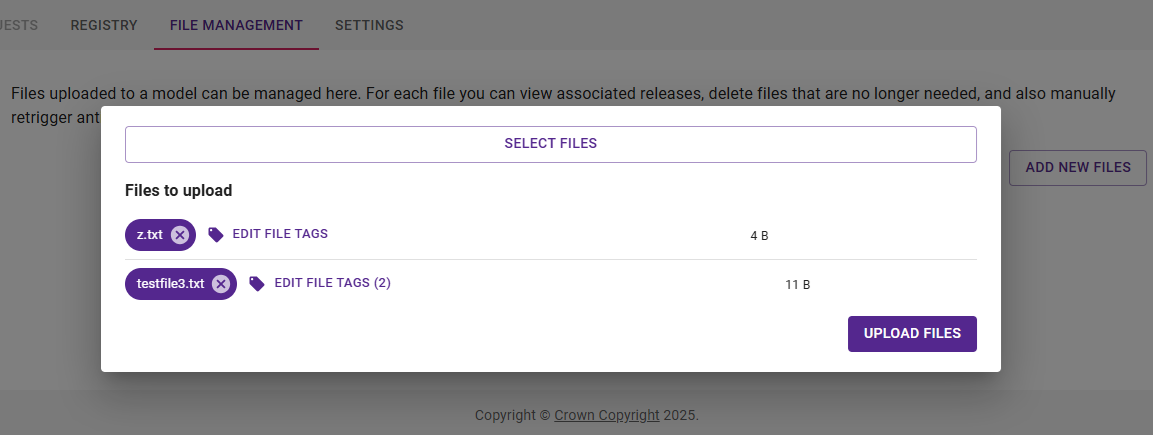
The screenshot above shows the file upload interface with file selection, tag assignment, and an Upload files button.
- Click Upload files
Adding files to a new release
When creating a new release, you can attach both newly uploaded files and files that already exist on the model.

The screenshot above shows the new release form with a file already attached.
Adding files to an existing release
You can edit existing releases to add or remove file attachments.
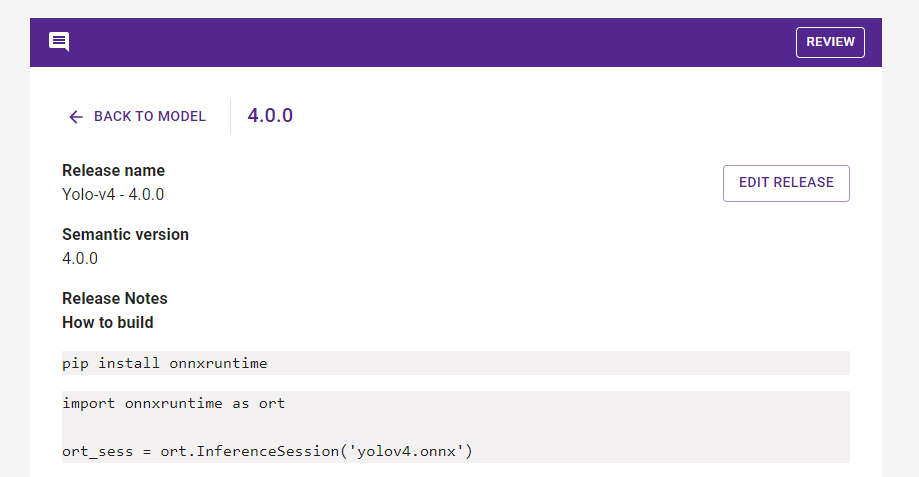
The screenshot above shows an existing release with an Edit release button for adding or removing files.
Uploading files programmatically
Use the Bailo Python Client to upload or download files via code. Examples are available here.
Copyright © Crown Copyright 2026.