
- Overview
- Getting Started
- Quick Start Guide
- Core Concepts
- Users
- Models
- Creating a Model
- Model Card
- Model Card
- Importing Model Card Text
- Comparing Model Cards
- Creating a Release
- Uploading Files
- Uploading Images
- Model Templating
- Data Cards
- Creating a Data Card
- Managing Data Cards
- Using a Model
- Browsing the Marketplace
- Requesting Access
- Using a Pushed Docker Image
- Downloading Files
- Reviews
- Understanding Reviews
- Reviewing
- Reviewing a Release
- Reviewing an Access Request
- Reviewing a Model Card Lifecycle
- Review Outcomes
- Security Scanning
- File Scanning
- Image Scanning
- Inferencing
- Creating an Inference Service
- Managing Inference Services
- Model Mirroring
- Creating a Mirrored Model
- Editing a Mirrored Model Card
- Untrusted Models
- Untrusted Models
- Deletion
- Deleting a File
- Deleting a Model
- Soft Deletion
- Bailo Metrics
- Viewing Bailo Metrics
- Programmatic Access
- Authentication
- Personal Access Tokens
- Python Client
- OpenAPI Reference
- Webhooks
- Administration
- Getting Started
- Deployment Architecture
- App Configuration
- Model Lifecycle Configuration
- LLM
- LLM Import
- Schemas
- Understanding Schemas
- Create a Schema
- Upload a Schema
- Schema Migrations
- Review Roles
- Managing Review Roles
- Assigning Roles to Schemas
- Federation
- Peer Integration
- Microservices
- Artefact Scanners
- Helm
- Basic Usage
- Configuration
- Isolated Environments
- Migrations
- Bailo v0.4
- Bailo v2.0
- DataBase Scripts
- Reference
- Glossary
- Roles & Permissions
- Troubleshooting & FAQ
OpenAPI Documentation
Common questions this page answers:
- How do I view the Bailo API specification?
- What tools can I use with the OpenAPI specification?
- Where do I find the Swagger UI?
Bailo provides an OpenAPI specification for all Bailo endpoints viewable here on a running Bailo instance.
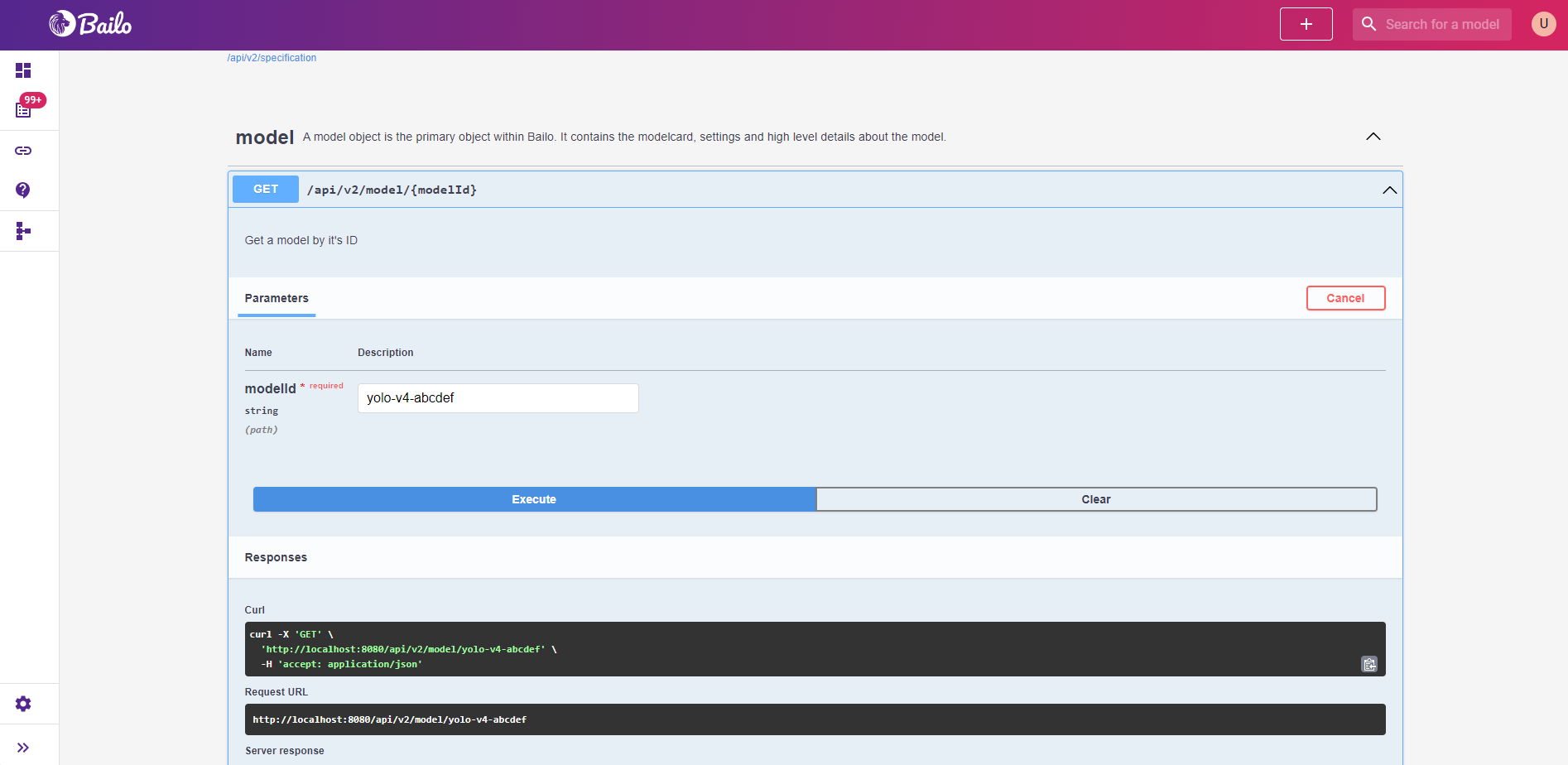
The screenshot above shows the Swagger UI interface with grouped API endpoints, request parameters, and response schemas.
Using Swagger UI
Swagger UI lets you browse, understand, and test API (Application Programming Interface) endpoints directly in your browser.
Browsing endpoints
Endpoints are grouped by category (Models, Releases, Files, Schemas, etc.). Click on a group to expand it and see all available endpoints. Each endpoint shows:
- The HTTP method and path
- A description of what it does
- Required and optional parameters
- Request body schema (for POST/PUT/PATCH)
- Response schema and status codes
Making test requests
You can test endpoints directly from the Swagger UI:
- Click on an endpoint to expand it
- Click Try it out
- Fill in the required parameters and request body
- Click Execute
- View the response below
Note: You must be authenticated to make requests. If you're logged into Bailo in the same browser, your session credentials will be used automatically.
Downloading the OpenAPI specification
Download the raw OpenAPI specification in JSON format for use with code generation tools or API clients.
- Navigate to
/api/v2/specificationon your Bailo instance - The response is the full OpenAPI JSON specification
You can use this specification with tools like:
- OpenAPI Generator to generate client libraries
- Postman to import all endpoints as a collection
- Insomnia for API testing
Endpoint summary
For a complete list of all API endpoints, see the interactive Swagger API.
For guidance on Swagger UI itself, see the official Swagger documentation.
Related pages
- Swagger API - All available API endpoints
- Authentication - Setting up API authentication
- Python Client - Python wrapper for the API
Copyright © Crown Copyright 2026.