
- Overview
- Getting Started
- Quick Start Guide
- Core Concepts
- Users
- Models
- Creating a Model
- Model Card
- Model Card
- Importing Model Card Text
- Comparing Model Cards
- Creating a Release
- Uploading Files
- Uploading Images
- Model Templating
- Data Cards
- Creating a Data Card
- Managing Data Cards
- Using a Model
- Browsing the Marketplace
- Requesting Access
- Using a Pushed Docker Image
- Downloading Files
- Reviews
- Understanding Reviews
- Reviewing
- Reviewing a Release
- Reviewing an Access Request
- Reviewing a Model Card Lifecycle
- Review Outcomes
- Security Scanning
- File Scanning
- Image Scanning
- Inferencing
- Creating an Inference Service
- Managing Inference Services
- Model Mirroring
- Creating a Mirrored Model
- Editing a Mirrored Model Card
- Untrusted Models
- Untrusted Models
- Deletion
- Deleting a File
- Deleting a Model
- Soft Deletion
- Bailo Metrics
- Viewing Bailo Metrics
- Programmatic Access
- Authentication
- Personal Access Tokens
- Python Client
- OpenAPI Reference
- Webhooks
- Administration
- Getting Started
- Deployment Architecture
- App Configuration
- Model Lifecycle Configuration
- LLM
- LLM Import
- Schemas
- Understanding Schemas
- Create a Schema
- Upload a Schema
- Schema Migrations
- Review Roles
- Managing Review Roles
- Assigning Roles to Schemas
- Federation
- Peer Integration
- Microservices
- Artefact Scanners
- Helm
- Basic Usage
- Configuration
- Isolated Environments
- Migrations
- Bailo v0.4
- Bailo v2.0
- DataBase Scripts
- Reference
- Glossary
- Roles & Permissions
- Troubleshooting & FAQ
Uploading Container Images
Bailo uses a container (Docker) registry to store container images associated with models. Unlike files, container images are model-specific: you push an image to a model first, and then explicitly attach it to one or more releases.
Common questions this page answers:
- How do I push a container (Docker) image to Bailo?
- How do I add a container image to a release?
- What is a container image?
Pushing an image to a model
Push container images to the Bailo registry from the Registry tab on your model page.
This tab provides step-by-step instructions tailored to your model and registry.
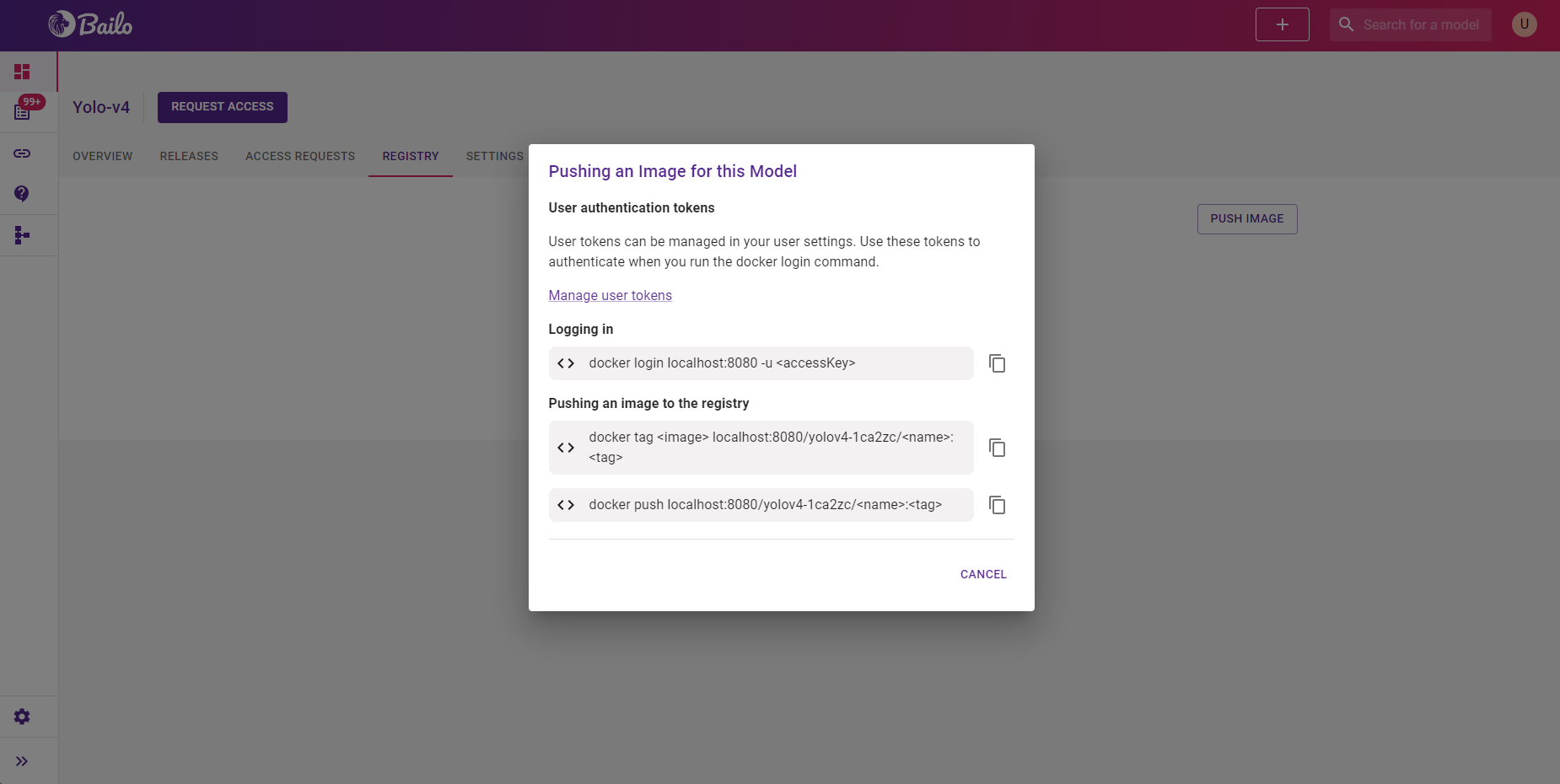
The screenshot above shows the Registry tab with step-by-step instructions for logging in, tagging, and pushing a container image.
Adding an image to a release
Once pushed, container images can be attached to new or existing releases.
Edit an existing release or create a new one, then select the image from the available list.
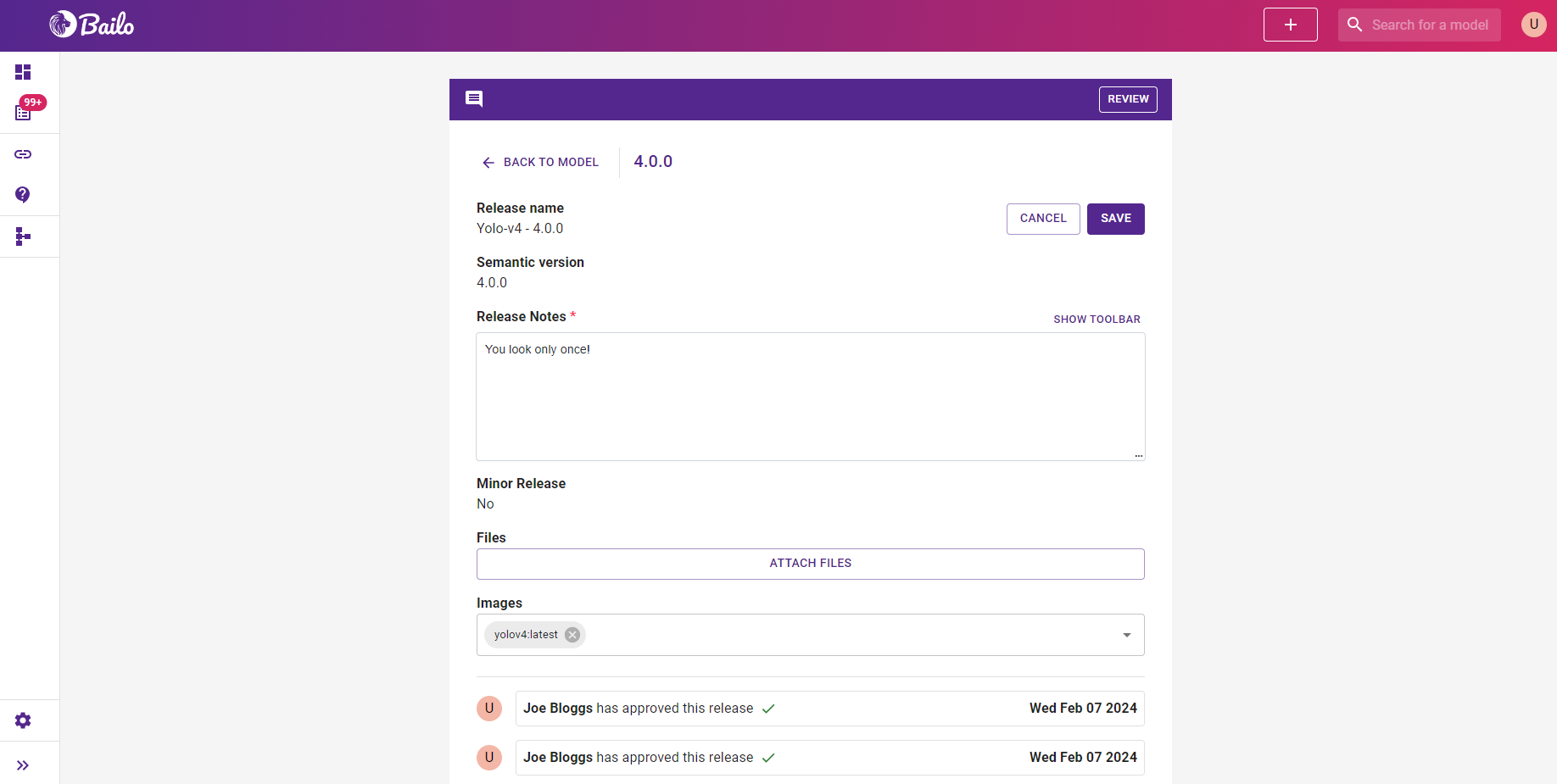
The screenshot above shows a release being edited with a container image attached from the available list.
What is a container?
In the context of Bailo, a container is an isolated, self-contained application environment used to run a model. Packaging models as containers allows them to be started quickly, run consistently across environments, and used for inference without additional setup.
Copyright © Crown Copyright 2026.