
- Overview
- Getting Started
- Quick Start Guide
- Core Concepts
- Users
- Models
- Creating a Model
- Model Card
- Model Card
- Importing Model Card Text
- Comparing Model Cards
- Creating a Release
- Uploading Files
- Uploading Images
- Model Templating
- Data Cards
- Creating a Data Card
- Managing Data Cards
- Using a Model
- Browsing the Marketplace
- Requesting Access
- Using a Pushed Docker Image
- Downloading Files
- Reviews
- Understanding Reviews
- Reviewing
- Reviewing a Release
- Reviewing an Access Request
- Reviewing a Model Card Lifecycle
- Review Outcomes
- Security Scanning
- File Scanning
- Image Scanning
- Inferencing
- Creating an Inference Service
- Managing Inference Services
- Model Mirroring
- Creating a Mirrored Model
- Editing a Mirrored Model Card
- Untrusted Models
- Untrusted Models
- Deletion
- Deleting a File
- Deleting a Model
- Soft Deletion
- Bailo Metrics
- Viewing Bailo Metrics
- Programmatic Access
- Authentication
- Personal Access Tokens
- Python Client
- OpenAPI Reference
- Webhooks
- Administration
- Getting Started
- Deployment Architecture
- App Configuration
- Model Lifecycle Configuration
- LLM
- LLM Import
- Schemas
- Understanding Schemas
- Create a Schema
- Upload a Schema
- Schema Migrations
- Review Roles
- Managing Review Roles
- Assigning Roles to Schemas
- Federation
- Peer Integration
- Microservices
- Artefact Scanners
- Helm
- Basic Usage
- Configuration
- Isolated Environments
- Migrations
- Bailo v0.4
- Bailo v2.0
- DataBase Scripts
- Reference
- Glossary
- Roles & Permissions
- Troubleshooting & FAQ
Viewing Usage Metrics
Common questions this page answers:
- How do I view usage metrics in Bailo?
- How do I view compliance metrics in Bailo?
Access roles
Only users with the correct access role can view the metrics page in Bailo. A user must have the compliance role.
For more information, please see Roles & Permissions.
Viewing usage metrics
To view usage metrics, click the chart icon at the bottom of the side menu bar. This will take you to the metrics page.
Within this page you have the option to view system-wide metrics, or filter down to a specific organisation.
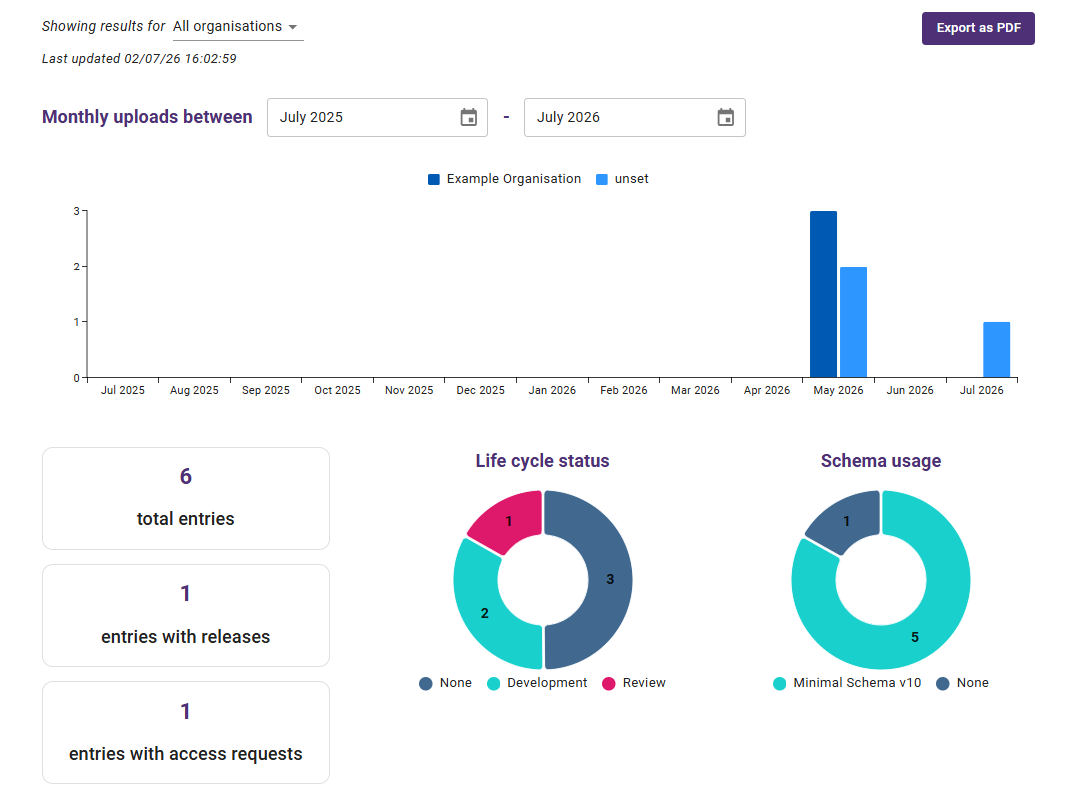
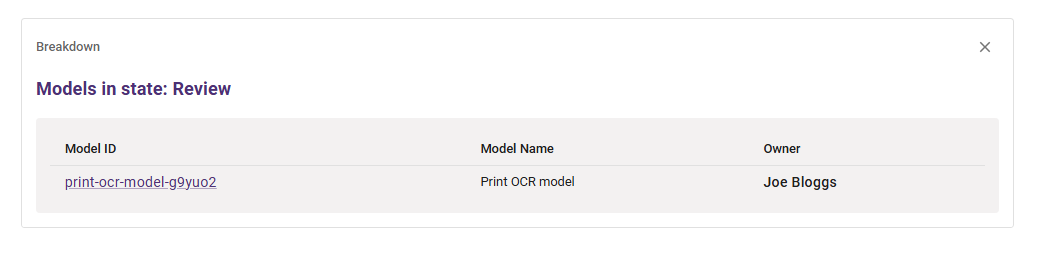
You can click either of the two pie charts to see a more in-depth breakdown of the models. Doing so will display a table below, where you can view the models and their basic information.
Viewing compliance metrics
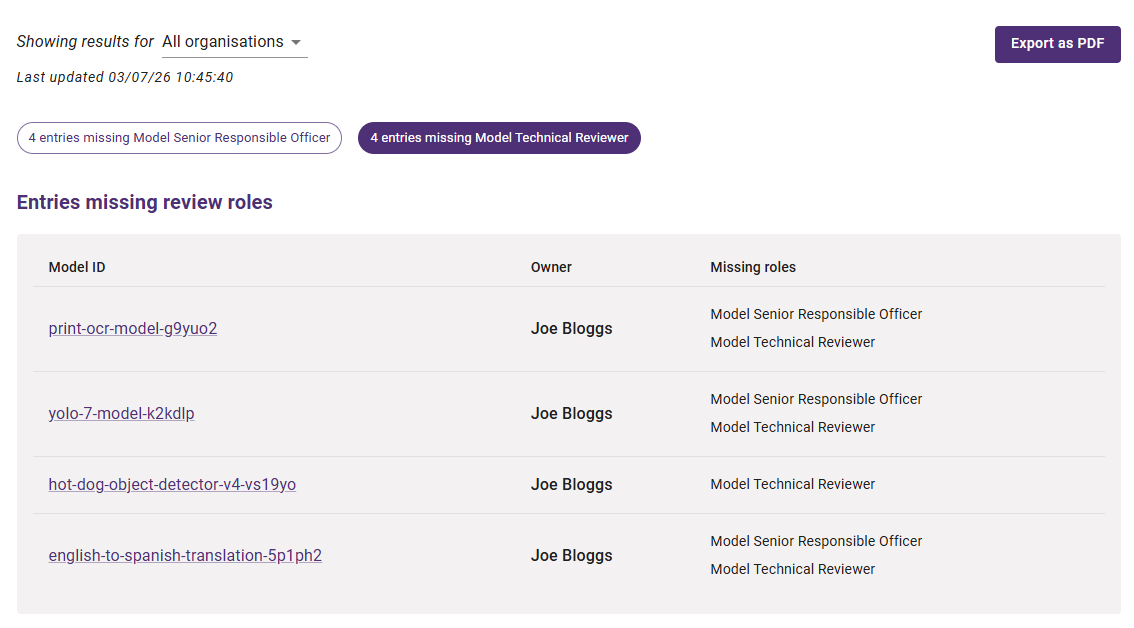
To view compliance metrics, you can change tab by clicking the Policy tab button at the top of the page.
This will show you the breakdown of models in Bailo, detailing which roles are missing from each. You can filter this down to a specific organisation, as well as selecting a specific role to focus on.
Copyright © Crown Copyright 2026.