
- Overview
- Getting Started
- Quick Start Guide
- Core Concepts
- Users
- Models
- Creating a Model
- Model Card
- Model Card
- Importing Model Card Text
- Comparing Model Cards
- Creating a Release
- Uploading Files
- Uploading Images
- Model Templating
- Data Cards
- Creating a Data Card
- Managing Data Cards
- Using a Model
- Browsing the Marketplace
- Requesting Access
- Using a Pushed Docker Image
- Downloading Files
- Reviews
- Understanding Reviews
- Reviewing
- Reviewing a Release
- Reviewing an Access Request
- Reviewing a Model Card Lifecycle
- Review Outcomes
- Security Scanning
- File Scanning
- Image Scanning
- Inferencing
- Creating an Inference Service
- Managing Inference Services
- Model Mirroring
- Creating a Mirrored Model
- Editing a Mirrored Model Card
- Untrusted Models
- Untrusted Models
- Deletion
- Deleting a File
- Deleting a Model
- Soft Deletion
- Bailo Metrics
- Viewing Bailo Metrics
- Programmatic Access
- Authentication
- Personal Access Tokens
- Python Client
- OpenAPI Reference
- Webhooks
- Administration
- Getting Started
- Deployment Architecture
- App Configuration
- Model Lifecycle Configuration
- LLM
- LLM Import
- Schemas
- Understanding Schemas
- Create a Schema
- Upload a Schema
- Schema Migrations
- Review Roles
- Managing Review Roles
- Assigning Roles to Schemas
- Federation
- Peer Integration
- Microservices
- Artefact Scanners
- Helm
- Basic Usage
- Configuration
- Isolated Environments
- Migrations
- Bailo v0.4
- Bailo v2.0
- DataBase Scripts
- Reference
- Glossary
- Roles & Permissions
- Troubleshooting & FAQ
Editing a mirrored model card
Common questions this page answers:
- Can I edit a mirrored model card?
- How do I add local information to a mirrored model?
- Does editing a mirrored model overwrite the source data?
Mirrored models are read-only with respect to information originating from the source model. This ensures the source model remains the authoritative version.
You cannot directly edit source content in a mirrored model, however, you can add additional local information to provide context that is specific to your environment or use case.
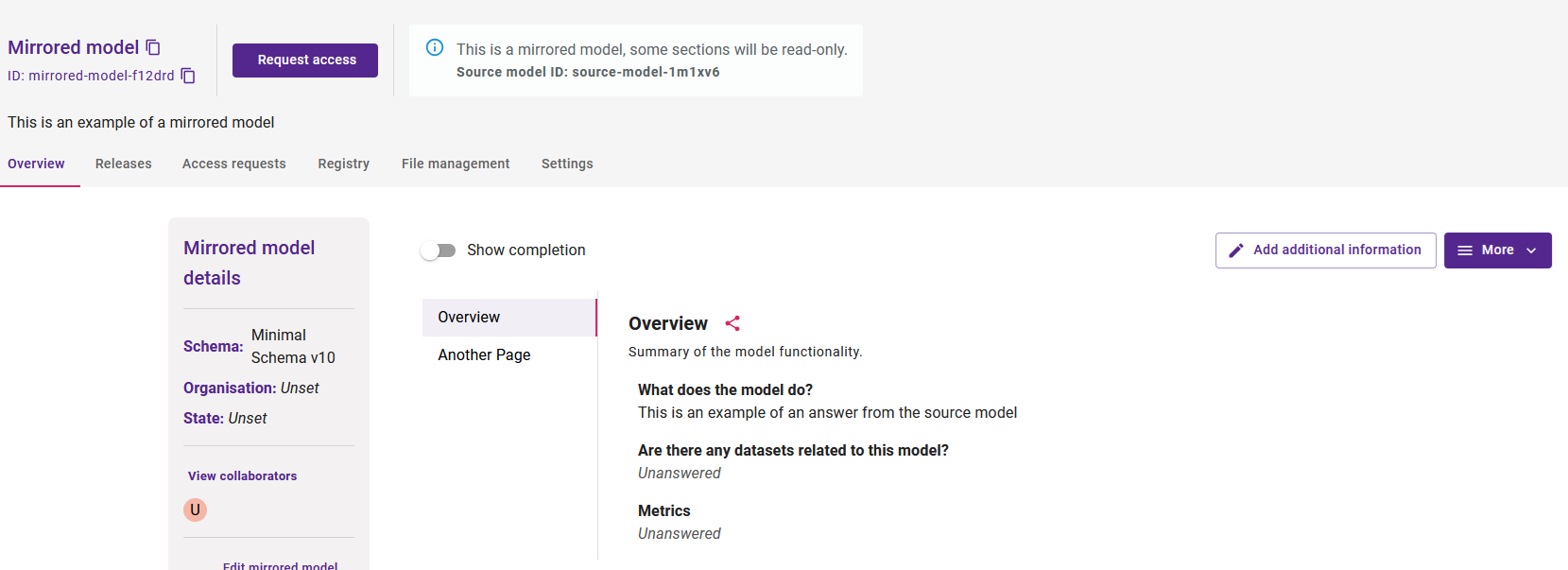
The screenshot above shows a mirrored model card with read-only source content and an Add additional information button.
Adding additional information
Add local context to a mirrored model without modifying the source data, using the Add additional information button.
Instead of an Edit button, mirrored models display an Add additional information button. Selecting this option allows you to add local responses alongside the source content:
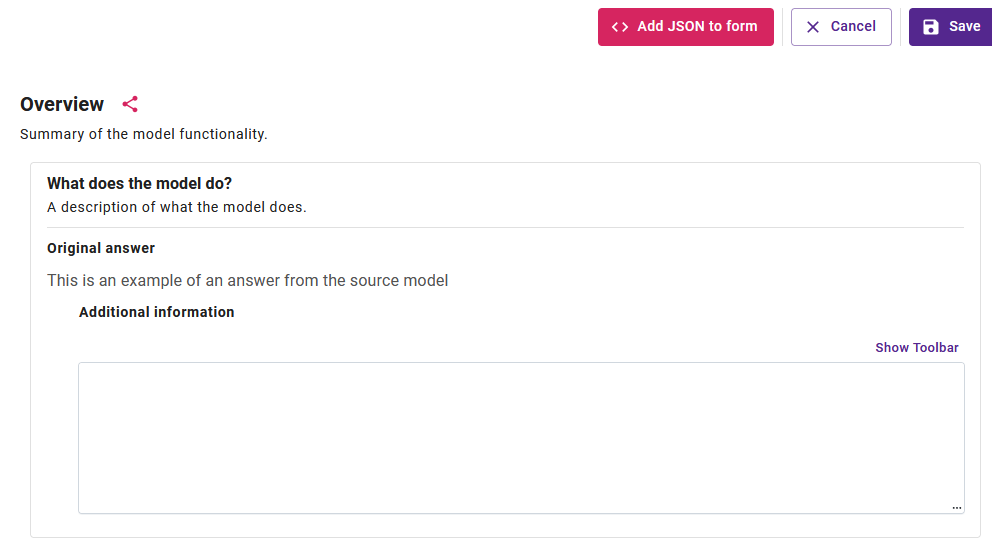
The screenshot above shows the form for adding local information alongside the source model's content.
Key points:
- Additional information does not overwrite source data
- The input type matches the original question
- Rich text -> rich text
- Number -> number
- Structured input -> structured input
- Validation rules remain the same as the source question
How additional information is displayed
Local additions appear beneath the source content, making the origin of each piece of information clear.
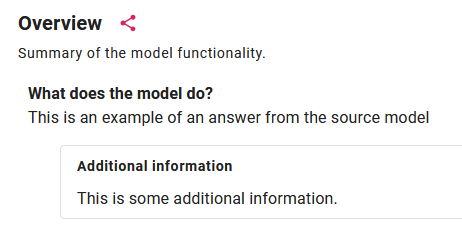
The screenshot above shows the model card with source content and locally added information displayed separately.
Additional information can be updated at any time and will persist across future synchronisations when the source model is re-exported.
Copyright © Crown Copyright 2026.